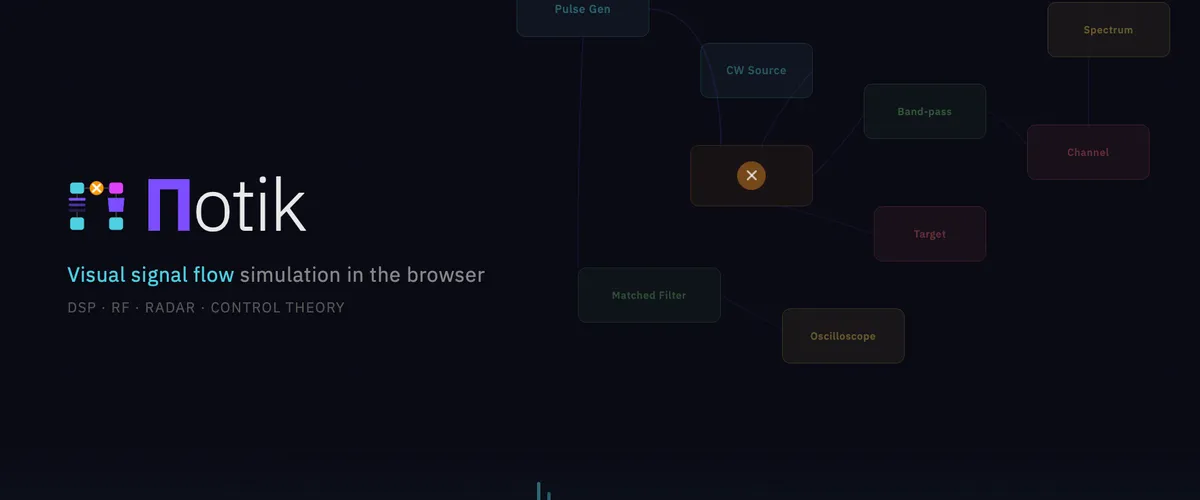
Potik: a browser-based engineering simulator (think GNURadio meets Simulink)
- Engineering , Simulation
- 09 Apr, 2026
Engineering simulation has always meant installing heavy desktop software. GNURadio for DSP. Simulink for control loops. LTspice for circuits. Each one a multi‑gigabyte download, each one tied to one machine, each one a wall between you and the moment you can actually drop a block on a canvas and see something happen.
Potik puts that canvas in a browser tab. Drop blocks, wire them, hit Run. The math runs at near‑native speed right inside your browser. Scan a QR code and your phone joins the same session — watch the spectrum from across the room while the simulation keeps running on your laptop. No install, no account, no backend. Just a URL: scarecrow.com.ua/potik.
Right now it has a complete DSP and radar block library. Control systems are next. From there: anything that fits the block‑diagram model. The whole thing was designed from day one to grow into every engineering domain that engineers already think about as boxes connected by lines.
Try it right here
If the embed feels cramped, open it in a new tab.
The vision
The block diagram is one of the most enduring abstractions in engineering. A signal processing chain, a feedback control loop, an analog circuit, a state machine, a neural network — they all reduce to nodes connected by edges with typed semantics on each port. Every serious engineering tool ends up reinventing some flavor of this representation, because it’s how engineers actually think.
So why does each tool build its own private world? Why does GNURadio not talk to Simulink? Why is the editor in MATLAB different from the editor in LTspice from the editor in Modelica? The answer is mostly historical. The honest answer in 2026 is: it doesn’t have to be this way anymore. Browsers are fast enough. The math performance gap is closed. The visualizations are smooth. Phones can join in. The whole thing fits behind a single URL.
Potik’s bet is that one editor and one runtime are enough to host every domain — and that the right way to ship it is as a browser app that anyone can open in five seconds, without installing anything, and that runs on the laptop and the phone you already have in your pocket.
The path to that vision is concrete:
- Phase 1 — DSP foundation. ✅ The editor, the runtime, sources, filters, mixers, spectrum analyzer, oscilloscope. Done.
- Phase 1.5 — Cross‑device viewing and remote control. ✅ The phone is a first‑class participant. Done.
- Phase 3 — Radar. ✅ A complete pulse / target / channel / matched filter / range‑Doppler pipeline. Done. (Yes, Phase 3 before Phase 2 — Phase 3 is more visually rewarding.)
- Phase 2 — More serious signal modeling. Decimation, interpolation, file replay, batch runs, more bells and whistles for serious DSP work.
- Phase 4 — Control systems. This is where we cross from “GNURadio in a browser” into “Simulink in a browser.” PID controllers, transfer functions, Bode and Nyquist plots, step responses. Worked example: a cart‑pole stabilizer or a DC motor speed loop.
- Phase 5 — Sharing and ecosystem. Shareable URLs, GNURadio
.grcimporter, reusable subgraphs you build yourself, recording and playback, plugin system for your own blocks.
Beyond Phase 5: anything that fits the block‑diagram model. Circuit simulation. Discrete event simulation. Robotics kinematics. Mixed‑signal. Neural network architecture sketches. The foundation was built to host all of it.
The phone is a first‑class device
This is the part I am most proud of, and the part nobody else seems to be doing.
On your laptop you build the simulation. On your phone you install the spectrum analyzer, the oscilloscope, or the remote control as an app — straight to the home screen, no app store, on iOS or Android. Scan a QR code from the laptop and your phone joins the session. From that moment, anything the laptop is computing — spectrum, scope traces, range‑Doppler maps — shows up live on the phone.
The phone is not just a viewer. It’s also a remote: drag a slider on the phone and the laptop’s parameter follows along. The slider feels instant even over a slow cellular connection — no jitter, no rubber‑banding back to the wrong value.
Watch your simulation from the couch. Tune your filter from across the room. Turn three old phones into a wall of dashboards.
What’s done today
Every box below is something you can poke at right now in the live build.
The editor
- ✅ Drag blocks from a palette, wire them on a canvas
- ✅ Save and load graphs as files
- ✅ Autosave — close the tab, come back later, your work is right where you left it
- ✅ Tweak any parameter live with sliders, switches, and number inputs; the simulation updates as you drag
- ✅ Smooth, responsive UI even when the math is running flat out
- ✅ One block’s output can feed as many other blocks as you want
Sources
- ✅ Continuous wave (CW) tone — set frequency, amplitude, phase
- ✅ Noise — Gaussian, complex or real
- ✅ Chirp — sweep across a frequency range
- ✅ Constant value
Processing
- ✅ Mixer (multiply signals together)
- ✅ Low‑pass, high‑pass, and band‑pass filters
- ✅ Amplifier with optional saturation
Visualization
- ✅ Spectrum analyzer with a smooth GPU‑accelerated waterfall, peak markers, mouse zoom and pan
- ✅ Oscilloscope with free / auto / rising / falling triggers and time‑axis markers
- ✅ Power meter
- ✅ File saver — download a recording for later
Phone, popouts, and sharing
- ✅ Open the spectrum analyzer, oscilloscope, or remote control as an installable app on your phone (iOS or Android, no app store)
- ✅ Three independent home‑screen icons — install just the ones you need
- ✅ Scan a QR code from the laptop to join the session
- ✅ The phone shows whatever the laptop is computing, live
- ✅ The phone is also a remote — drag sliders and switches, the laptop responds
- ✅ Cellular‑friendly: bandwidth is heavily optimized so even slow connections stay smooth
- ✅ Direct peer‑to‑peer link between laptop and phone whenever possible (skips the relay for low latency)
- ✅ Multiple phones can join the same session at once — one editor, many viewers
Radar
- ✅ Pulse generator — make the radar transmit waveform
- ✅ Target — set range, speed (Doppler), and size
- ✅ Channel — realistic additive noise
- ✅ Matched filter — the textbook pulse compression block
- ✅ Range‑Doppler processor — turn the raw return into a 2D map
- ✅ Range‑Doppler view — heatmap with adjustable colour range
- ✅ End‑to‑end demo: drop a target, drag the range slider, watch the spot move
Always available
- ✅ Runs entirely in your browser — no install, no account, no backend
- ✅ Math executes at near‑native speed
- ✅ Free, open, and live at scarecrow.com.ua/potik
What’s next
The foundation is solid. Everything from here is mostly more blocks, more polish, and reaching into new domains.
More radar
- ⬜ Sum block — combine multiple targets into one scene cleanly
- ⬜ CFAR detector — turn the range‑Doppler map into a clean list of detected targets
- ⬜ Antenna pattern block (gain vs angle)
- ⬜ Worked example: a complete FMCW radar with three moving targets in one graph
- ⬜ Range‑Doppler heatmap on the phone too (currently laptop only)
More signal modeling
- ⬜ Change sample rates inside the graph (decimation and interpolation)
- ⬜ Hilbert transform and proper single‑sideband
- ⬜ Batch mode — run for a fixed number of samples with a progress bar
- ⬜ File source — replay a recording you saved earlier
- ⬜ Sample rate and centre frequency carried as metadata along edges
Control systems
This is where we cross from “GNURadio in a browser” into “Simulink in a browser.”
- ⬜ Real‑valued (not just complex) signal flows
- ⬜ Transfer function block
- ⬜ PID controller, integrator, differentiator, saturation, summing junction
- ⬜ Step, impulse, and ramp sources
- ⬜ Bode plot, Nyquist plot, step‑response viewer
- ⬜ Worked example: a cart‑pole stabilizer or a DC motor speed loop, end to end on one canvas
Sharing and ecosystem
- ⬜ Shareable URLs — send a link, your friend opens your exact simulation
- ⬜ Import GNURadio
.grcfiles - ⬜ Subgraphs — collapse a graph into a reusable block of your own
- ⬜ Recording and deterministic playback (capture a session, share it like a video)
- ⬜ Plugin system for user‑defined blocks
Beyond
- ⬜ Circuit simulation
- ⬜ Discrete event simulation
- ⬜ Mixed‑signal
- ⬜ Robotics kinematics
- ⬜ Neural network architecture sketches
The foundation is built to host any of these without rewriting the editor.
Try it for real
Open scarecrow.com.ua/potik on your laptop. Drop a CW source and a Spectrum Analyzer, wire them, hit Run. Click the 🔗 Share button, scan the QR code with your phone, install the spectrum App on your home screen. Drag the slider on the laptop and watch the spectrum peak slide on your phone in real time.
If you want to try the radar pipeline, the validation graph is:
Pulse Generator → Target → Channel → Matched Filter → Range‑DopplerSet the pulse generator to a 1 ms pulse with a 5 ms PRI and a chirp from −5 kHz to +5 kHz. Set the target to 1500 m range, 30 m/s velocity. The Range‑Doppler heatmap shows a single bright spot. Drag the range slider on the target — it slides horizontally. Drag the velocity slider — it slides vertically. That is a working radar simulator running entirely in your browser, with the visualization on a phone in another room if you want it.
In a few months that same canvas will host a stabilized cart‑pole, a DC motor speed loop, an analog filter circuit. Same editor, same runtime, same phone App. Different blocks.
If you found this useful, consider supporting my work
Tags:
- Dsp
- Radar
- Control systems
- Flowgraph
- Block diagram
- Webassembly
- Webrtc
- Rust
- React
- Interactive